 HappyMod.net
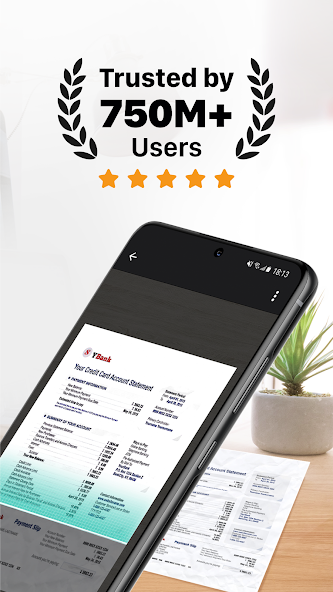
| Name | CamScanner- scanner, PDF maker |
| Publisher | intsig pte |
| Size | 244.2 MB |
| Latest version | 7.18.0.2605210000 |
| Released on | Jun 4, 2026 |
| Minimum Requirement | 5.0 and up |
| Get it on | Google Play |
| Languages | EN,FR,DE,ID,IT,JA,KO,PT,RU,ZH,ES,TH,ZH,TR,VI |
Table of Contents
UNLOCKING DOCUMENT MANAGEMENT WITH CAMSCANNER
CamScanner is a powerful mobile application designed for document management, allowing users to digitize, manage, and share documents seamlessly. The app functions not only as a scanner but also as a versatile PDF maker, transforming paper documents into high-quality digital copies. With its intuitive user interface and multitude of features, CamScanner streamlines the process of document handling, making it an essential tool for students, professionals, and anyone who frequently deals with paperwork. Users can scan receipts, notes, invoices, and other documents with just a few taps, and the enhanced optical character recognition (OCR) feature allows you to extract text from images, making your documents searchable and editable. The ability to store your files securely in the cloud ensures that they are accessible anywhere, anytime, fostering productivity and convenience.
- High-Quality Scanning: CamScanner employs advanced algorithms to ensure that every scan is crisp and clear, automatically enhancing the quality of images for optimal results.
- Optical Character Recognition (OCR): This feature extracts text from images, allowing users to convert scanned documents into editable formats, enhancing usability significantly.
- Cloud Storage Compatibility: With built-in support for various cloud services, users can easily back up their documents, ensuring they never lose important files and can access them from multiple devices.
EFFICIENT DOCUMENT SHARING AND COLLABORATION
One of the standout features of CamScanner is its efficient sharing capabilities. The app allows users to share documents directly via email, social media, or through messaging apps, making it easier than ever to collaborate with colleagues or classmates. Moreover, users can create links to their scans, granting access to view or download files seamlessly. This feature ensures that everyone involved in a project has access to the necessary documentation without the hassle of printing or mailing physical copies. CamScanner also supports annotations and highlighting, enabling users to mark important sections or add notes directly within the document, which is particularly useful in group collaborations. The ease of sharing not only enhances teamwork but also saves time and resources, making document management more fluid and modern.
- Link Sharing: Generate accessible links for easy document sharing without requiring recipients to have the app installed.
- Annotation Tools: Highlight, underline, or add notes directly on scanned documents to communicate effectively with teammates.
- Multi-Format Export: Save and share documents in various formats, including PDF and JPEG, catering to different needs and preferences.
ORGANIZING YOUR DOCUMENTS LIKE NEVER BEFORE
CamScanner excels at helping users organize their documents to maintain order and accessibility. The app features a user-friendly dashboard that allows for easy categorization of scans, making it simple to locate and retrieve documents when needed. Users can create custom folders, tag files with keywords, or mark favorites, providing multiple ways to sort and access their scans. This organization feature is invaluable for individuals managing a large volume of documents, as it reduces clutter and increases efficiency. Additionally, the powerful search function lets users find documents based on specific keywords or text embedded in the scans, leveraging the OCR capabilities for smarter file management. In a world buzzing with paperwork, CamScanner provides a haven of organization.
- Custom Folders: Organize your scans into personalized folders, making it easier to group similar documents and access them quickly.
- Advanced Search Functionality: Quickly find documents by searching for keywords, thanks to the text recognition technology built into the app.
- Tagging System: Use tags to categorize documents further, making file retrieval even more straightforward for users.
ELEVATING SECURITY WITH CAMSCANNER
Security is a crucial concern when it comes to managing sensitive documents, and CamScanner addresses this need with robust security features. Users have the option to password-protect their documents, ensuring that only authorized individuals can access sensitive information. Additionally, the app offers an automatic sync feature to back up files in the cloud, further safeguarding copies of important documents. With features designed to thwart unauthorized access, CamScanner provides peace of mind for users handling confidential information, from personal files to business contracts. This level of security ensures that data integrity is maintained, fostering trust in the tools that manage vital documentation.
- Password Protection: Safeguard your documents with customizable password settings to prevent unauthorized access to sensitive files.
- Automatic Cloud Backup: Regularly back up your documents in the cloud, protecting against data loss and ensuring files are easily recoverable.
- Remote Wipe Feature: If the app is installed on a device that is lost or stolen, users can remotely erase documents to prevent potential breaches.
COST-EFFECTIVE SCANNING SOLUTION
CamScanner proves to be a cost-effective solution by eliminating the need for physical scanners and extensive document storage systems. With the app, users can convert their smartphones into portable scanners, enabling them to capture high-quality documents on the go. This is particularly beneficial for freelancers, small business owners, and students who may not have access to traditional scanning equipment. The app offers various pricing plans, including a free version with ample features, making it accessible to a wide range of users. The premium subscription enhances functionalities, but even the basic version provides significant value, making CamScanner an ideal choice for those looking to optimize their document management resources without breaking the bank.
- Affordable Pricing Plans: Options for both free and premium subscriptions ensure that users can select a plan that fits their budget and needs.
- No Need for Physical Scanners: Transform your smartphone into a document scanner, saving both space and money on traditional scanning devices.
- Comprehensive Features: Even the free version offers a robust suite of tools for scanning, sharing, and organizing documents efficiently.
CamScanner stands out as a versatile and efficient scanning application that caters to both individual and professional needs. With its user-friendly interface, users can effortlessly scan documents, receipts, notes, and even images directly from their smartphones. The ability to produce PDF files that maintain high-quality resolution ensures that important documents are preserved accurately.One of its key features is the real-time edge detection and automatic cropping, which enhances the scanning process and minimizes manual adjustments. Additionally, the app offers OCR (Optical Character Recognition) capabilities, allowing users to convert scanned images into editable text, which significantly increases productivity.The integration of cloud services ensures that scanned documents can be easily stored, shared, and accessed across multiple devices, catering to the growing demand for flexibility in work and collaboration. Security features, such as password protection for sensitive documents, further enhance its appeal to businesses.Overall, CamScanner effectively combines functionality and convenience, making it an invaluable tool for anyone looking to streamline their document management process. Its numerous features, coupled with continuous updates and improvements, solidify its position as a leading choice in the scanning application market. This app revolutionizes traditional document handling, making it indispensable in today’s digital age.
Top Features of CamScanner- scanner, PDF maker Mod APK
- Smart Scanning Transform your physical documents into digital format effortlessly with CamScanner. Utilize high-quality scanning technology that ensures your scans are crisp and clear, making it perfect for capturing receipts, notes, and any important paper documents.
- PDF Creation Easily convert scanned images into high-quality PDFs in just a few taps. This feature allows you to organize and store your documents efficiently, making sharing and printing your files straightforward and accessible.
- OCR Technology Unlock the power of Optical Character Recognition (OCR) to extract text from images seamlessly. This invaluable feature allows you to edit and search through scanned documents, enhancing productivity and making information retrieval quick and easy.
- Secure Document Management Keep your sensitive documents safe with CamScanner's password protection and encryption features. This ensures that only authorized users can access your files, providing peace of mind when handling confidential information.
- Annotation Tools Enhance your scanned documents with customizable annotation tools that let you highlight, underline, and add comments. This feature is perfect for collaborative projects and allows users to mark important information with ease, facilitating better communication and understanding.
- Cloud Integration Seamlessly sync your documents with popular cloud storage services like Google Drive, Dropbox, and OneDrive. This integration ensures that your files are always backed up and accessible from any device, enabling you to work on the go without worrying about losing important information.

Requirements to Install CamScanner- scanner, PDF maker
- Operating System: 5.0 and up or higher
- RAM Required: Minimum 1 GB
- Storage Required: 488 MB
- Internet Required: An active internet
Additional Recommendations
- Storage Space: At least 488 MB of free
- Internet Connection: Stable Wi-Fi or mobile data
- Account: no needed
Step-by-Step Guide to Installing CamScanner- scanner, PDF maker Mod APK
- Step 1: Enable "Install Unknown Apps" (or "Unknown Sources")
- Step 2: Download CamScanner- scanner, PDF maker Mod APK File from HappyMod.net
- Step 3: Locate the Downloaded APK File
- Step 4: Install CamScanner- scanner, PDF maker Mod APK File
- Step 5: Launch the App
Additional tips for CamScanner- scanner, PDF maker Mod APK
Clear Cache Regularly: If CamScanner- scanner, PDF maker starts to feel sluggish or behave unexpectedly, try clearing its cache. Go to Settings > Apps > CamScanner- scanner, PDF maker > Storage & cache, then tap "Clear cache." This often resolves minor performance hiccups without losing your data. Free Up Storage: Ensure your device has sufficient free internal storage. Low storage can significantly impact CamScanner- scanner, PDF maker's performance and even prevent updates or proper functioning. Close Background Apps: If you're experiencing lag, try closing other heavy apps running in the background. This frees up RAM for CamScanner- scanner, PDF maker to run more smoothly.

Conclusion
CamScanner stands out as a versatile and efficient scanning application that caters to both individual and professional needs. With its user-friendly interface, users can effortlessly scan documents, receipts, notes, and even images directly from their smartphones. The ability to produce PDF files that maintain high-quality resolution ensures that important documents are preserved accurately.One of its key features is the real-time edge detection and automatic cropping, which enhances the scanning process and minimizes manual adjustments. Additionally, the app offers OCR (Optical Character Recognition) capabilities, allowing users to convert scanned images into editable text, which significantly increases productivity.The integration of cloud services ensures that scanned documents can be easily stored, shared, and accessed across multiple devices, catering to the growing demand for flexibility in work and collaboration. Security features, such as password protection for sensitive documents, further enhance its appeal to businesses.Overall, CamScanner effectively combines functionality and convenience, making it an invaluable tool for anyone looking to streamline their document management process. Its numerous features, coupled with continuous updates and improvements, solidify its position as a leading choice in the scanning application market. This app revolutionizes traditional document handling, making it indispensable in today’s digital age.

FAQS-FREQUENTLY ASK QUESTION
How do I scan a document using CamScanner?
To scan a document, open the app, tap on the camera icon, position your document in the frame, and capture the image. The app will automatically detect edges and enhance the scan.
Can I edit the scanned document after capturing it?
Yes, you can edit scanned documents. Simply tap on the scan you want to edit, then use the cropping, rotation, and filter options to adjust your document as needed.
How can I convert a scanned document to PDF?
To convert a scanned document to PDF, select the document in the app, tap 'Share,' and then choose 'Save as PDF.' This will create a PDF file for your scanned document.
How do I organize my scanned documents in folders?
Organizing scanned documents can be easily done: 1. Open the 'Documents' tab. 2. Tap the 'Create Folder' option. 3. Name your folder. 4. Move your scans into the folder by selecting them and using the 'Move' option.
What should I do if I want to share a scanned document?
To share a scanned document, tap on the scan you wish to share, select the 'Share' icon, and choose your preferred sharing method such as email, messaging apps, or social media.
![Elite Auto Brazil - Wheelie Mod Apk [Unlimited money]](https://i.git99.com/upload/android/icon/2025/08/08/50f54ef505d7916b6c777ed4c915617d.webp)
![Motivation - Daily quotes Mod Apk [Unlocked][Premium]](https://i.git99.com/upload/android/icon/2023/12/14/e56527b2371bcda6768f230a1a1c8e75.webp)
![Music Ringtones for Android Mod Apk [Unlocked][Pro]](https://i.git99.com/upload/android/icon/2026/04/03/d311fe628d7bcf7718a4c5a0355822f5.webp)
![RS Boxing Champions Mod Apk [Unlimited money]](https://i.git99.com/upload/android/icon/2024/01/17/01805e4853e98fe79cef323b2ddd322d.webp)
![City Island 6: Building Town Mod Apk [Unlimited money]](https://i.git99.com/upload/android/icon/2026/03/10/47eb58c37b68212cf651e0be82ce784c.webp)
![Symfonium: Music player & cast Mod Apk [Unlocked][Premium]](https://i.git99.com/upload/android/icon/2026/03/16/7cccd9423b66fe0c51f93e0dcd5004a4.webp)
![ARK: Ultimate Mobile Edition Mod Apk [Unlocked]](https://i.git99.com/upload/android/icon/2025/01/06/810c37317641c5c026793e623f92b68a.webp)
![Age of Magic: Turn Based RPG Mod Apk [High Damage][Invincible]](https://i.git99.com/upload/android/icon/2026/06/01/e250b34c6a7654f94a9654e5a8856516.webp)
1.Rate
2.Comment
3.Name
4.Email