 HappyMod.net
| Name | Calculator - Floating Widget |
| Publisher | woodsmall inc |
| Size | 26.51 MB |
| Latest version | 2.5.2 |
| Released on | Jan 17, 2026 |
| Minimum Requirement | 4.1 and up |
| Get it on | Google Play |
| Languages | EN,FR,DE,ID,IT,JA,KO,PT,RU,ZH,ES,TH,ZH,TR,VI |
Table of Contents
UNLOCKING CALCULATION EFFICIENCY WITH CALCULATOR - FLOATING WIDGET
The Calculator - Floating Widget app revolutionizes how users approach calculations by providing a versatile and intuitive interface that stays on top of other applications. This floating widget allows users to perform calculations without needing to switch between different apps, creating a seamless workflow that is perfect for multitaskers. Whether you're working on a spreadsheet, drafting an email, or simply browsing the web, the floating widget remains conveniently accessible. With an elegant design that prioritizes usability, users can quickly input numbers and view results, enhancing productivity significantly. The application ensures that even the most complex calculations can be completed efficiently, making it an essential tool for students, professionals, and anyone in need of rapid computations.
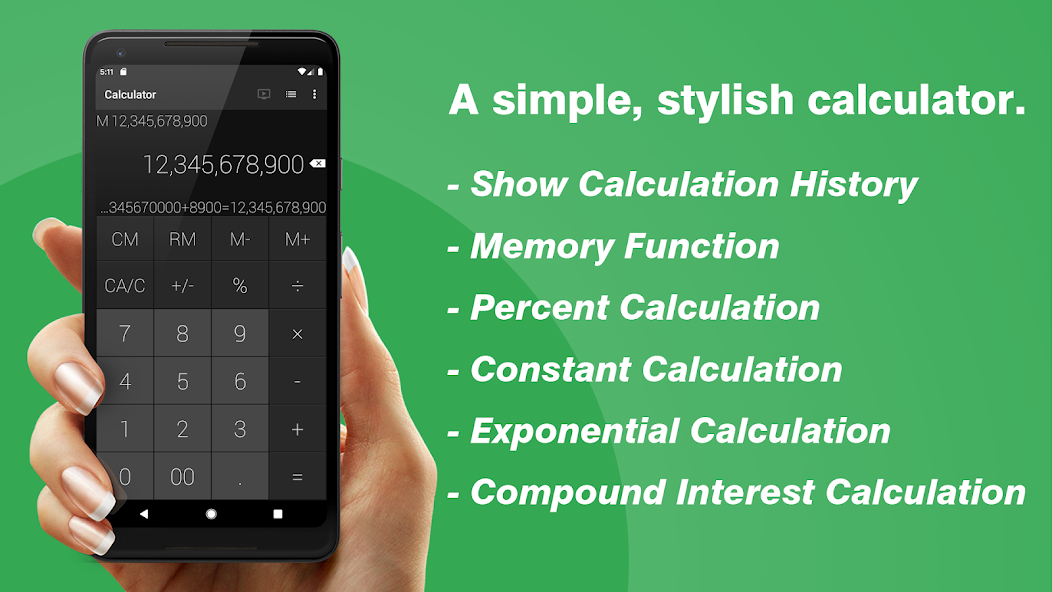
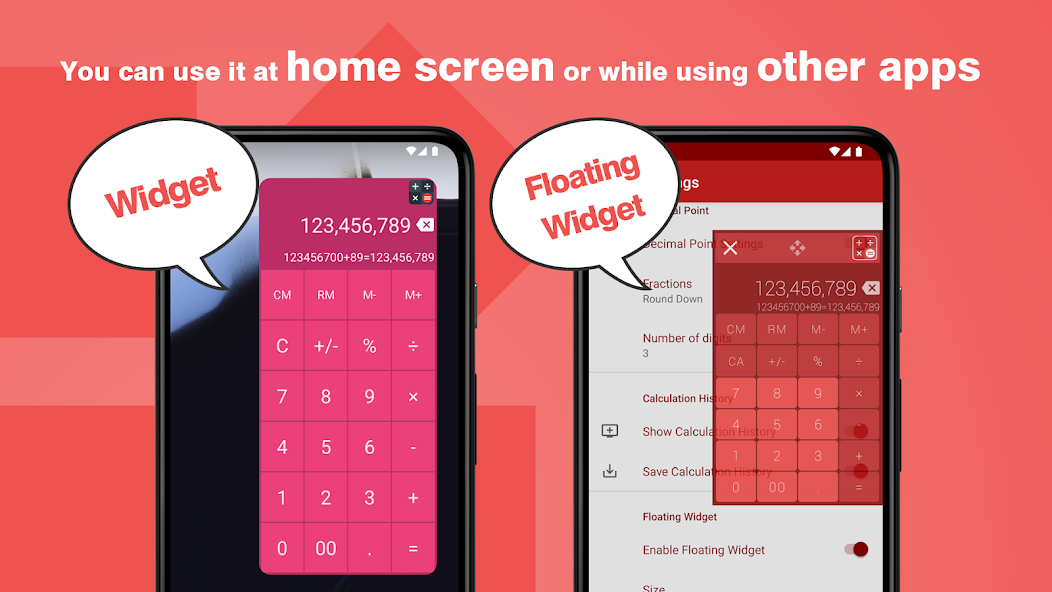
- Floating Widget Feature: The main highlight of this calculator is its ability to float over other apps, allowing users to perform calculations without disrupting their current tasks. This means you can easily reference values while working on different applications.
- User-Friendly Interface: The app boasts an intuitive design tailored for easy navigation. Users can quickly access various functions and features without any steep learning curve, making it suitable for all ages.
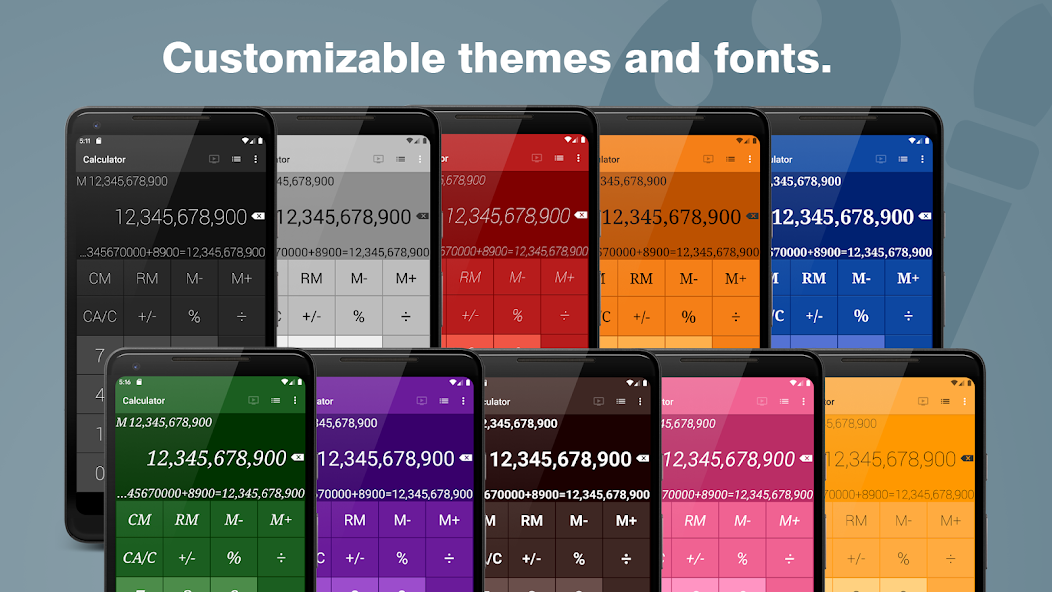
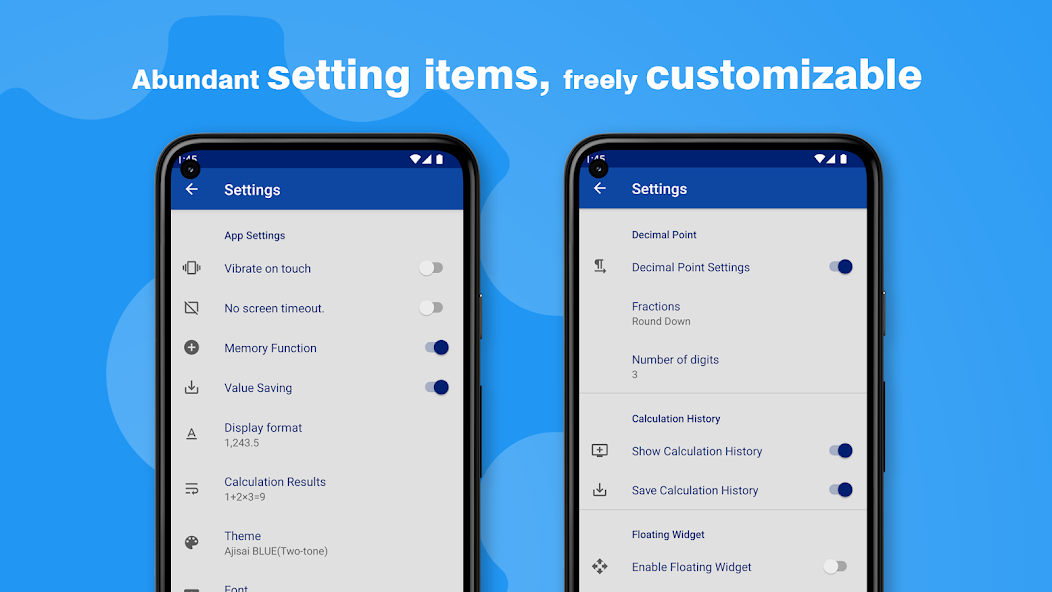
- Customizable Layouts: Users can personalize the widget’s appearance, selecting different themes and sizes that suit their preferences. This level of customization ensures that the calculator is not just functional but also visually appealing.
ENHANCING ACCURACY WITH ADVANCED FUNCTIONS
Calculator - Floating Widget is not just a basic calculator; it includes a wide range of advanced functions to cater to various mathematical needs. Users can switch from basic arithmetic to complex calculations with ease, including scientific functions such as trigonometric, logarithmic, and exponential calculations. This versatility makes the app invaluable for students and professionals alike, as they can tackle a broad spectrum of mathematical problems. Additionally, the precision of the calculator ensures that users receive accurate results, thereby reducing the chances of errors that could arise from manual calculations. It also features a history function, enabling users to reference previous calculations effortlessly for ongoing and future tasks.
- Comprehensive Functionality: The inclusion of scientific functions caters to a variety of mathematical tasks, accommodating not just basic arithmetic but also complex equations typically required in higher education and professional settings.
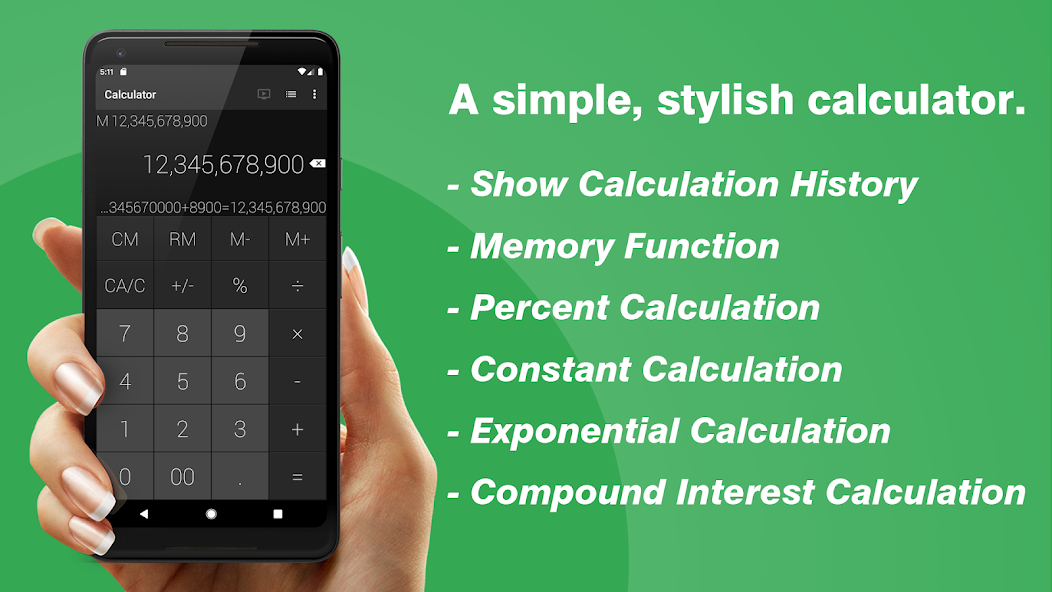
- Calculation History: The app maintains a log of past calculations, allowing users to easily revisit and reuse previous figures without having to re-enter them, streamlining the overall process.
- Precision and Reliability: With a focus on delivering accurate results, users can trust this calculator for serious tasks, minimizing errors that could occur from guesswork or approximation.
SEAMLESS INTEGRATION WITH YOUR DIGITAL ENVIRONMENT
The floating calculator integrates smoothly with various digital environments, making it an excellent tool for users who juggle multiple applications. Whether it's during research, project management, or daily financial calculations, the ability to keep the calculator widget visible while continuing other tasks is a game-changer. This integration promotes an efficient work style, allowing users to engage in more productive multitasking without the constant disruption of switching applications. Furthermore, the app's lightweight design ensures it doesn’t drain system resources, providing a smooth and responsive experience that complements users’ devices without hindrance.
- Multitasking-Friendly: By floating over all other apps, the widget caters to users who require constant access to calculations, enhancing efficiency and concentration on diverse tasks.
- Resource Efficient: Designed to use minimal system resources, the Calculator - Floating Widget ensures that device performance remains unaffected, providing a fluid user experience.
- Customizable Positioning: Users can drag and position the widget anywhere on the screen, further enhancing its functionality by keeping it out of the way or placing it in a convenient spot based on user preference.
USER EXPERIENCE ENHANCEMENTS THROUGH INTUITIVE FEATURES
Calculator - Floating Widget goes beyond standard features by incorporating a variety of intuitive options designed to enhance the user experience. Features like voice input, a quick-access button for commonly used functions, and adaptive settings based on user habits allow the calculator to become even more user-friendly and personalized. This focus on user experience is evident in the seamless transitions between tasks and the overall ease of use, making it accessible for individuals of varying tech-savvy levels. The app is optimized for use on smartphones and tablets, factoring in touch controls and screen space to create a smooth and engaging interaction.
- Voice Input: This feature allows users to perform calculations by simply speaking the numbers and operations, adding a hands-free option that is particularly useful for those on the go.
- Quick-Access Functions: Regularly used functions can be set as quick-access options, saving time and effort on routine calculations while ensuring that the user experience remains fluid.
- Adaptive Settings: The app learns from user interactions, adjusting its functionalities to enhance ease of use, which is especially beneficial for long-term users looking for personalized performance.
ACCESSIBILITY AND MULTILINGUAL SUPPORT
Calculator - Floating Widget recognizes the importance of accessibility and supports multiple languages, ensuring that users from various backgrounds and regions can utilize its powerful features without any language barrier. This inclusive approach makes the app a well-rounded tool suitable for a global audience. By providing language options, it encourages more users to integrate this application into their daily routine, whether they are students, teachers, or professionals working in international environments. Making math accessible to everyone fosters an environment conducive to learning and problem-solving across different cultures and languages.
- Multilingual Interface: Users can choose from various languages, making it easier for non-English speakers to navigate and utilize the app’s functions effectively.
- Ease of Access: The design prioritizes accessibility, with considerations for users who may have disabilities or require assistive technologies. This commitment allows for a wider range of users to leverage its capabilities.
- Community Feedback: The developers actively solicit user feedback to enhance features and languages supported, ensuring that the app evolves based on the needs of its user base.
The Calculator - Floating Widget offers a seamless blending of functionality and convenience, making it an invaluable tool for users requiring quick computations without disrupting their workflow. Its ability to overlay on other applications allows for continuous use, enabling multitasking in various environments, whether at work or home. This feature streamlines tasks, as users can engage in calculations while simultaneously accessing other resources, enhancing productivity.The design of the floating widget is user-friendly, providing an intuitive interface that caters to both novice and experienced users. Features such as customizable sizes, easy drag-and-drop capability, and a responsive layout contribute to a personalized experience, ensuring that users can adapt the widget to their specific preferences.Moreover, the accessibility of the widget on mobile devices further emphasizes its practicality. Users can perform calculations on-the-go, which is particularly beneficial for individuals engaged in fields that require constant numerical manipulation, such as finance, engineering, and academia.In conclusion, the Calculator - Floating Widget stands out as a modern solution for anyone in need of efficient calculation tools. Its innovative design, combined with its functional capabilities, positions it as a must-have application for enhancing daily productivity and simplifying numerical tasks.
Top Features of Calculator - Floating Widget Mod APK
- Floating Interface Experience the convenience of a floating calculator widget that remains accessible on your screen while you multitask, allowing you to perform calculations without interrupting your workflow. Simply drag and position the widget anywhere on your display for maximum flexibility.
- Customizable Design Personalize your calculator widget with various themes, colors, and sizes to match your device's aesthetic. Choose from sleek modern designs or classic styles to make your calculator uniquely yours, enhancing both functionality and visual appeal.
- Multi-Functionality Utilize a wide array of mathematical functions, from basic arithmetic to advanced calculations, all within a single app. With features like percentage calculations, square roots, and memory functions, this calculator is perfect for students and professionals alike.
- History Tracking Keep track of your calculations with an easy-to-access history feature that stores your past inputs. This allows you to revisit previous results and makes it convenient to reference older calculations without having to redo the work.
- Responsive Performance Enjoy a smooth and responsive user experience with fast calculation times and smooth animations. The app is optimized for efficiency, ensuring that complex computations are processed quickly, so you never miss a beat in your tasks.
- User-Friendly Layout Navigate easily through a simple and intuitive user interface designed for all users. Whether you're a beginner or an expert, the layout allows you to perform calculations effortlessly, with clearly labeled buttons and features that enhance usability.
Requirements to Install Calculator - Floating Widget
- Operating System: 4.1 and up or higher
- RAM Required: Minimum 1 GB
- Storage Required: 53 MB
- Internet Required: An active internet
Additional Recommendations
- Storage Space: At least 53 MB of free
- Internet Connection: Stable Wi-Fi or mobile data
- Account: no needed
Step-by-Step Guide to Installing Calculator - Floating Widget Mod APK
- Step 1: Enable "Install Unknown Apps" (or "Unknown Sources")
- Step 2: Download Calculator - Floating Widget Mod APK File from HappyMod.net
- Step 3: Locate the Downloaded APK File
- Step 4: Install Calculator - Floating Widget Mod APK File
- Step 5: Launch the App
Additional tips for Calculator - Floating Widget Mod APK
Clear Cache Regularly: If Calculator - Floating Widget starts to feel sluggish or behave unexpectedly, try clearing its cache. Go to Settings > Apps > Calculator - Floating Widget > Storage & cache, then tap "Clear cache." This often resolves minor performance hiccups without losing your data. Free Up Storage: Ensure your device has sufficient free internal storage. Low storage can significantly impact Calculator - Floating Widget's performance and even prevent updates or proper functioning. Close Background Apps: If you're experiencing lag, try closing other heavy apps running in the background. This frees up RAM for Calculator - Floating Widget to run more smoothly.
Conclusion
The Calculator - Floating Widget offers a seamless blending of functionality and convenience, making it an invaluable tool for users requiring quick computations without disrupting their workflow. Its ability to overlay on other applications allows for continuous use, enabling multitasking in various environments, whether at work or home. This feature streamlines tasks, as users can engage in calculations while simultaneously accessing other resources, enhancing productivity.The design of the floating widget is user-friendly, providing an intuitive interface that caters to both novice and experienced users. Features such as customizable sizes, easy drag-and-drop capability, and a responsive layout contribute to a personalized experience, ensuring that users can adapt the widget to their specific preferences.Moreover, the accessibility of the widget on mobile devices further emphasizes its practicality. Users can perform calculations on-the-go, which is particularly beneficial for individuals engaged in fields that require constant numerical manipulation, such as finance, engineering, and academia.In conclusion, the Calculator - Floating Widget stands out as a modern solution for anyone in need of efficient calculation tools. Its innovative design, combined with its functional capabilities, positions it as a must-have application for enhancing daily productivity and simplifying numerical tasks.
FAQS-FREQUENTLY ASK QUESTION
How do I use the floating widget feature?
To use the floating widget feature, first open the Calculator app, then tap on the widget icon. Drag the calculator window to your desired location on the screen. You can easily resize it by dragging the corners.
Can I customize the calculator's appearance?
Yes, you can customize the calculator's appearance. Go to settings within the app, then select 'Theme.' Choose from the available themes to change the color and style of the calculator and widget.
How do I access advanced calculation functions?
To access advanced calculation functions, tap on the 'Advanced' button located on the main screen. This will reveal additional features like scientific functions, graphs, and more, allowing for complex calculations.
What should I do if I can't see the floating widget after enabling it?
If the floating widget isn't visible, check your device's permissions. Follow these steps: 1. Go to your device's settings. 2. Navigate to 'Apps' or 'Applications.' 3. Find 'Calculator - Floating Widget.' 4. Ensure 'Display over other apps' is enabled.
How can I clear the calculator's history?
To clear the calculator's history, go to the app settings. Look for the 'History' option and tap 'Clear History' to remove all previous calculations. This resets the history for a clean start.
![Elite Auto Brazil - Wheelie Mod Apk [Unlimited money]](https://i.git99.com/upload/android/icon/2025/08/08/50f54ef505d7916b6c777ed4c915617d.webp)
![Motivation - Daily quotes Mod Apk [Unlocked][Premium]](https://i.git99.com/upload/android/icon/2023/12/14/e56527b2371bcda6768f230a1a1c8e75.webp)
![Music Ringtones for Android Mod Apk [Unlocked][Pro]](https://i.git99.com/upload/android/icon/2026/04/03/d311fe628d7bcf7718a4c5a0355822f5.webp)
![RS Boxing Champions Mod Apk [Unlimited money]](https://i.git99.com/upload/android/icon/2024/01/17/01805e4853e98fe79cef323b2ddd322d.webp)
![City Island 6: Building Town Mod Apk [Unlimited money]](https://i.git99.com/upload/android/icon/2026/03/10/47eb58c37b68212cf651e0be82ce784c.webp)
![Symfonium: Music player & cast Mod Apk [Unlocked][Premium]](https://i.git99.com/upload/android/icon/2026/03/16/7cccd9423b66fe0c51f93e0dcd5004a4.webp)
![ARK: Ultimate Mobile Edition Mod Apk [Unlocked]](https://i.git99.com/upload/android/icon/2025/01/06/810c37317641c5c026793e623f92b68a.webp)
![Age of Magic: Turn Based RPG Mod Apk [High Damage][Invincible]](https://i.git99.com/upload/android/icon/2026/06/01/e250b34c6a7654f94a9654e5a8856516.webp)
1.Rate
2.Comment
3.Name
4.Email