 HappyMod.net
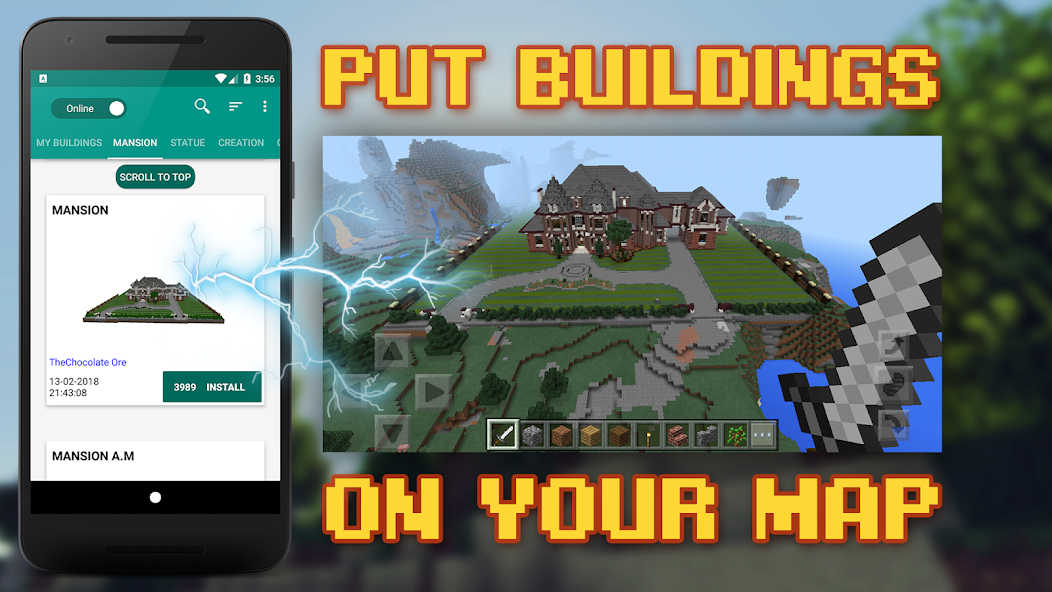
| Name | Building Mods for Minecraft |
| Publisher | addons for minecraft |
| Size | 49.22 MB |
| Latest version | 19.8 |
| Released on | May 17, 2026 |
| Minimum Requirement | 5.0 and up |
| Get it on | Google Play |
| Languages | EN,FR,DE,ID,IT,JA,KO,PT,RU,ZH,ES,TH,ZH,TR,VI |
Table of Contents
DIVE INTO THE CREATIVE WORLD OF MOD BUILDING WITH BUILDING MODS FOR MINECRAFT
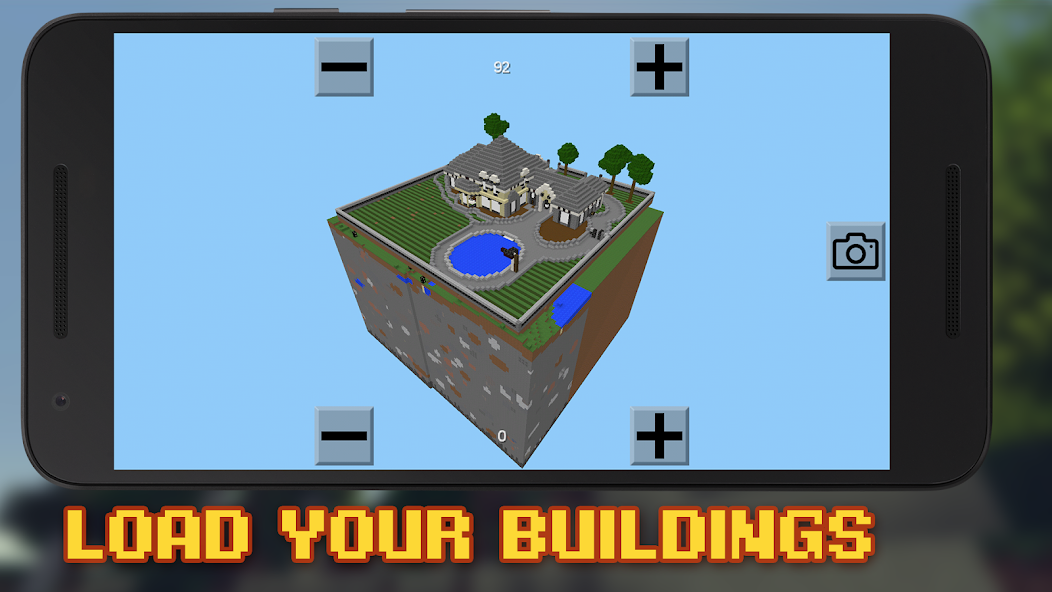
Building Mods for Minecraft is an exhilarating resource that empowers players to transform their gaming experience by adding exciting new dimensions to gameplay. Whether you're a seasoned architect or a casual builder, this application serves as a catalyst for creativity, allowing players to design anything from majestic castles to intricate machinery. The app features an intuitive interface that makes modding accessible to everyone. You can explore a variety of tools and resources that enhance the structural possibilities in Minecraft, enabling players to break the limits of vanilla gameplay. Customization and experimentation are at the heart of Building Mods, ensuring every player can leave their unique mark on the Minecraft universe.
- User-Friendly Interface: The application is designed to make modding straightforward, with clear instructions and easy navigation that can help novices and experts alike.
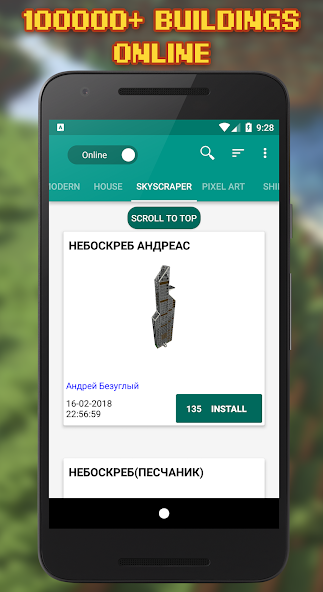
- Extensive Library of Mods: Players can access a rich collection of mods that improve aesthetics, enhance functionality, or introduce new gameplay mechanics.
- Continuous Updates: The platform frequently updates its features and mods, ensuring that players have the latest tools and content to enjoy in their building adventures.
UNLOCK YOUR IMAGINATION WITH CUSTOM BUILDING TOOLS
The core feature of Building Mods for Minecraft is its innovative set of building tools that allow players to construct their dream creations effortlessly. Building Mods enhances the original brick-laying experience by providing a range of new materials with various textures and properties that cater to the player's design aspirations. From unique wall styles to floors with intricate patterns, the possibilities are endless. The application supports multi-block construction, allowing for more complex designs that were previously challenging to create in the game. This deep customization results in an enriched game environment where creativity knows no bounds, giving players a platform to showcase their architectural skills.
- Multi-Block Building Capabilities: This feature allows players to create expansive and complex structures easily, from extensive fortresses to detailed gardens.
- Variety of Materials: A broad spectrum of building materials lets players mix and match styles, ensuring each creation can have a distinctive look and feel.
- Blueprint Sharing: Players can share their designs with the community, encouraging collaborative building and providing endless inspiration for others.
EXPERIENCE A NEW ERA OF GAMEPLAY WITH ENHANCED FEATURES
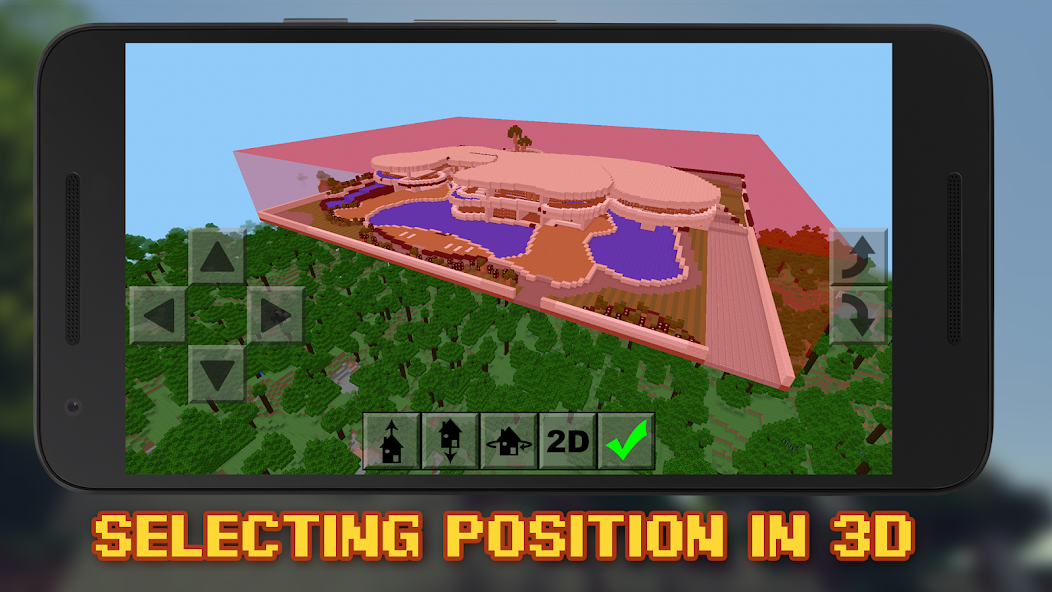
Building Mods for Minecraft takes gameplay to a whole new level with its enhanced features that provide a seamless and enjoyable experience. Innovations like real-time editing and a preview mode give players instant feedback on their creative decisions. This means you can see how your creations will look before committing to them, making it easier to refine your designs. Furthermore, the app integrates with Minecraft's core mechanics, enabling players to utilize these features without feeling disconnected from the original gameplay. Enhanced interaction, such as tweaking the physics of blocks or adding interactive elements, ensures that each new building experience remains fresh and exciting.
- Real-Time Editing: This allows players to make immediate changes to their structures, enhancing the overall building speed and efficiency.
- Preview Mode: Before finalizing their designs, players can visualize how changes will affect their builds, leading to more thoughtful creations.
- Enhanced Interactivity: Introducing interactive elements like doors, traps, and moving parts puts a twist on traditional building, adding layers to the gameplay.
Building Mods for Minecraft is not just about individual creation; it also connects players to a thriving community of modders and builders. The platform encourages users to showcase their work, participate in discussions, and seek advice from fellow creators. This vibrant community gives builders a space to exchange ideas, explore new modular designs, and collaborate on ambitious projects. Engaging with other players can dramatically enhance one’s skills and perspectives, empowering creators to push their boundaries. Furthermore, community contests and challenges keep the spirit of creativity alive, fostering a sense of competition and camaraderie among players.
- Collaborative Projects: Players can join forces with others in the community to work on larger-scale builds, making teamwork an integral part of the modding experience.
- Community Contests: Regularly hosted contests provide an opportunity to showcase one’s talents and earn recognition within the community for outstanding designs.
- Feedback and Support: Players can request feedback on their builds or seek help when they encounter challenges, reinforcing a supportive environment.
EXPAND YOUR EXPERIENCE WITH CUSTOM MOD PACKS
One of the standout features of Building Mods for Minecraft is its capability to create custom mod packs that cater specifically to individual building styles and gameplay preferences. Players can curate their modding experience by selecting multiple features that enhance their gameplay without overwhelming them. This tailored approach ensures that every user can refine their Minecraft experience to suit their artistic and structural ambitions. Custom mod packs allow for a more personalized set of tools, from decorative mods to functional improvements, resulting in an engaging game experience that reflects individual creativity.
- Personalizable Mod Packs: Players can select specific mods to include in their set-up, creating a truly unique way to enhance their gameplay.
- Easy Management: The intuitive interface makes it simple to adjust settings and manage installed mods, ensuring the user experience is smooth.
- Specialized Themes: Players can create themed mod packs that focus on specific styles, enabling more cohesion in their creations.
Building mods for Minecraft provides players with an unparalleled opportunity to expand their creativity and enhance their gameplay experience. These modifications allow for an incredible range of customization, enabling players to construct intricate structures and design unique environments that reflect their personal style and imagination. With various tools and features, such as building blocks, architectural elements, and landscaping options, players can elevate their building projects to new heights.Moreover, building mods often introduce new gameplay mechanics, optimizing the building process and rendering it more enjoyable. Features like copy-pasting structures, advanced scaffolding, and easier access to materials streamline construction, reducing the time spent on tedious tasks and allowing more focus on creativity. Additionally, these mods foster a sense of community, as players often share their creations, collaborate on projects, and draw inspiration from one another's work.As Minecraft continues to evolve, the presence of innovative building mods will undoubtedly play a significant role in maintaining player engagement. The vast array of tools, blocks, and features available through these modifications not only enhance the visual appeal of the game but also encourage players to explore their architectural skills, leading to an enriched and dynamic gaming experience that goes beyond the original boundaries of Minecraft’s blocky universe.
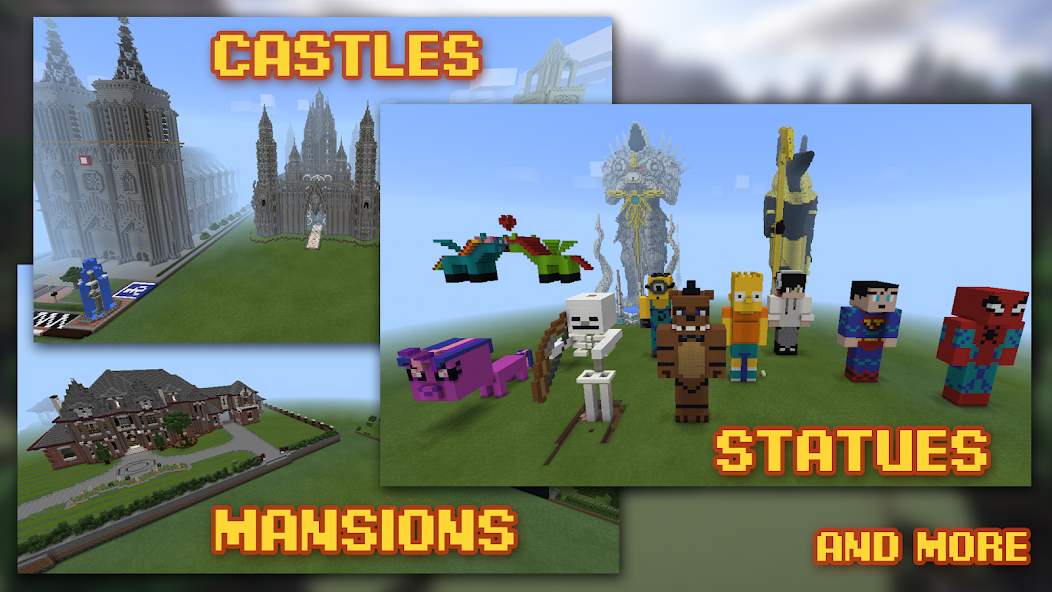
Top Features of Building Mods for Minecraft Mod APK
- User-Friendly Interface Navigate easily through the intuitive design of the app, allowing both beginners and experienced players to create stunning builds without the learning curve. The interface is streamlined to enable quick access to tools and materials, enhancing the overall building experience.
- Customizable Templates Choose from a variety of pre-built structures and layouts, which can be personalized to fit your unique style. These templates provide a solid foundation for your creations, allowing you to adapt and modify them to make them distinctly yours.
- Realistic Textures and Materials Utilize high-quality textures and materials to bring your Minecraft creations to life. The app offers a wide selection of visually appealing options that enhance the aesthetic of your buildings, making them more realistic and immersive.
- Collaborative Building Features Invite friends to join you in real-time building sessions, fostering teamwork and creativity. Share ideas and work together to construct impressive structures in a collaborative environment, making the building process more enjoyable and engaging.
- In-Depth Tutorials Access a range of tutorials that guide users through various building techniques and styles. These resources cater to all skill levels, providing valuable insights and tips to help you improve your construction skills and expand your creative horizons.
- Frequent Updates and Additions Stay engaged with regular updates that introduce new features, blocks, and tools. The continuous improvement of the app ensures that users always have fresh content and building options, keeping the creative possibilities vibrant and exciting.
Requirements to Install Building Mods for Minecraft
- Operating System: 5.0 and up or higher
- RAM Required: Minimum 1 GB
- Storage Required: 98 MB
- Internet Required: An active internet
Additional Recommendations
- Storage Space: At least 98 MB of free
- Internet Connection: Stable Wi-Fi or mobile data
- Account: no needed
Step-by-Step Guide to Installing Building Mods for Minecraft Mod APK
- Step 1: Enable "Install Unknown Apps" (or "Unknown Sources")
- Step 2: Download Building Mods for Minecraft Mod APK File from HappyMod.net
- Step 3: Locate the Downloaded APK File
- Step 4: Install Building Mods for Minecraft Mod APK File
- Step 5: Launch the App
Additional tips for Building Mods for Minecraft Mod APK
Clear Cache Regularly: If Building Mods for Minecraft starts to feel sluggish or behave unexpectedly, try clearing its cache. Go to Settings > Apps > Building Mods for Minecraft > Storage & cache, then tap "Clear cache." This often resolves minor performance hiccups without losing your data. Free Up Storage: Ensure your device has sufficient free internal storage. Low storage can significantly impact Building Mods for Minecraft's performance and even prevent updates or proper functioning. Close Background Apps: If you're experiencing lag, try closing other heavy apps running in the background. This frees up RAM for Building Mods for Minecraft to run more smoothly.
Conclusion
Building mods for Minecraft provides players with an unparalleled opportunity to expand their creativity and enhance their gameplay experience. These modifications allow for an incredible range of customization, enabling players to construct intricate structures and design unique environments that reflect their personal style and imagination. With various tools and features, such as building blocks, architectural elements, and landscaping options, players can elevate their building projects to new heights.Moreover, building mods often introduce new gameplay mechanics, optimizing the building process and rendering it more enjoyable. Features like copy-pasting structures, advanced scaffolding, and easier access to materials streamline construction, reducing the time spent on tedious tasks and allowing more focus on creativity. Additionally, these mods foster a sense of community, as players often share their creations, collaborate on projects, and draw inspiration from one another's work.As Minecraft continues to evolve, the presence of innovative building mods will undoubtedly play a significant role in maintaining player engagement. The vast array of tools, blocks, and features available through these modifications not only enhance the visual appeal of the game but also encourage players to explore their architectural skills, leading to an enriched and dynamic gaming experience that goes beyond the original boundaries of Minecraft’s blocky universe.
FAQS-FREQUENTLY ASK QUESTION
How do I create custom mods for Minecraft using this APK?
To create custom mods, first, familiarize yourself with Minecraft's modding tools. Use the APK's intuitive interface to design your mod. Select features, modify gameplay elements, and save your changes to integrate them into your Minecraft experience.
Can I share my custom mods with other players?
Yes, you can share your custom mods! Once you create a mod, export it to a compatible format and share the file with friends. They can then import your mod into their Minecraft game for a shared experience.
How do I add new mobs to my Minecraft game using the mod?
To add new mobs, access the mob creation tool in the APK. Define the mob's attributes, behaviors, and abilities. After customization, save the file and then launch Minecraft to see the new mobs in action.
What are the steps to modify existing game elements in Minecraft?
To modify existing game elements, follow these steps: 1. Open the APK and choose the Edit option. 2. Select the game element you wish to modify (e.g., a block or an item). 3. Adjust the properties as desired. 4. Save your changes and launch Minecraft to see the updates.
How can I troubleshoot issues with my custom mods?
If you experience issues with your custom mods, start by checking for errors in the mod settings. Ensure all dependencies are properly configured. If problems persist, try disabling conflicting mods one at a time to isolate the issue.
![Elite Auto Brazil - Wheelie Mod Apk [Unlimited money]](https://i.git99.com/upload/android/icon/2025/08/08/50f54ef505d7916b6c777ed4c915617d.webp)
![Motivation - Daily quotes Mod Apk [Unlocked][Premium]](https://i.git99.com/upload/android/icon/2023/12/14/e56527b2371bcda6768f230a1a1c8e75.webp)
![Music Ringtones for Android Mod Apk [Unlocked][Pro]](https://i.git99.com/upload/android/icon/2026/04/03/d311fe628d7bcf7718a4c5a0355822f5.webp)
![RS Boxing Champions Mod Apk [Unlimited money]](https://i.git99.com/upload/android/icon/2024/01/17/01805e4853e98fe79cef323b2ddd322d.webp)
![City Island 6: Building Town Mod Apk [Unlimited money]](https://i.git99.com/upload/android/icon/2026/03/10/47eb58c37b68212cf651e0be82ce784c.webp)
![Symfonium: Music player & cast Mod Apk [Unlocked][Premium]](https://i.git99.com/upload/android/icon/2026/03/16/7cccd9423b66fe0c51f93e0dcd5004a4.webp)
![ARK: Ultimate Mobile Edition Mod Apk [Unlocked]](https://i.git99.com/upload/android/icon/2025/01/06/810c37317641c5c026793e623f92b68a.webp)
![Age of Magic: Turn Based RPG Mod Apk [High Damage][Invincible]](https://i.git99.com/upload/android/icon/2026/06/01/e250b34c6a7654f94a9654e5a8856516.webp)
1.Rate
2.Comment
3.Name
4.Email